

Some Tips on Avoiding the Junk Box for E-Mail Campaigns
One question we get is, "How do I avoid a spam trap ?". I will answer this from a business process and content creation standpoint. Nothing is full-proof, but these are factors you can control.
From a business process standpoint:
- Do not buy a list of e-mails and solicit them. Will you answer a cold-blasted-email, no matter how good the offer is ? Not likely
- Ask them to add your e-mail to their safe sender list, and here is a list of systems' instructions
- Re-Purpose Blog Commentary like this
- Create some sort of relationship beforehand by direct mail, on-site visit or by telemarketing.
From a content-creation standpoint, these factors raise spam scores
- Using an excessive number of consecutive exclamation points
- Using excessive CAPS to write your message
- Using Microsoft Word as your .html editor. Microsoft Word's .html export tool contains sloppy code, which the spam filters will flag and not deliver
- Using an excessive amount of graphics instead of text. If you send an e-mail with just an image, it may look good for you. However, the spam-bot will flag it.
You can submit your email to some SPAM checker sites as well
Some of my drip marketing campaigns are plain-text in order to increase delivery rates, but I trade off branding and imagery to convey the message.

3 Ways CRM Improves Your Business Processes
 Sometimes it's easy to get lost in the weeds of software exploring each feature in great detail among several CRM systems. So, I found this article from CIO magazine that starts with a broad picture.
Here are 3 outcomes CRM can provide:
- Create a Smart Rolodex
- Create a collaborative system among several departments' data
- Create a task and process master with automated workflow
MondoCRM ensures the software and the process match the rep's and management's goals. Rather than trying to wedge one product for every problem, we help firms make a choice among several options.
Related article on our blog: Which CRM is best ?
Why Do Sales Reps Hate CRM ?
..and why would a CRM consultancy write a negative headline ?
In my experience, these are a few reasons it's not embraced:
- No Set Process
- Inconsistent Enforcement
- Inconsistent Standards for Data Entry
- Lack of Training
- Too Many Steps for Data Entry
- Lack of Mobile Access
Here is an article I found that agrees with my assessment. MondoCRM ensures the software and the process match the rep's and management's goals.
About Social Selling - Ditch The Elevator Pitch
I met Mark Carter in 2006 at a local networking event in Chicago, and I consider him one of the best at on-site networking to generate new business. In this interview, Mark and Brynne discuss how to use social media and avoid leading networking events just talking about you and your sale.
So how does this relate to CRM ? Out of the box, CRM usually requires a degree of customization; otherwise, it remains under utilized. CRM software is feature-rich, and I help people put on the final touch to really help my clients close more deals.

Act! on the Mac
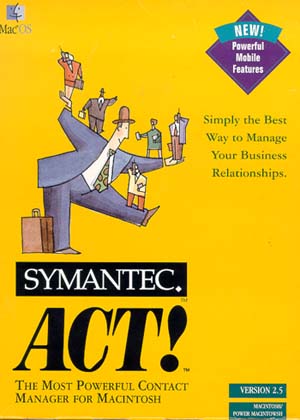 The last ACT! for Mac edition was published in 1998, and Mac users still don't have a native solution. So here is what we suggest.
- Use Parallels for Mac to turn the Mac into a Windows machine for using Act!.
- Host Act! with us, and you can use a browser
- Host Act! with a terminal server or Citrix environment
Swiftpage, the current owners of Act!, do not have any plans to release a native Mac solution at the time of this post.