We have a few dozen users on Sage E-Marketing for Act! (aka Swiftpage), and we have changed our philosophy over the last couple years on dealing with bad addresses or opt-outs.
When I first started using e-mail as a marketing technique, I would just erase their address when it came back or unsubscribed from my list.
Now, I added two fields in the database, “Bounce” or “Opt-Out” as checkbox (yes/no) fields.

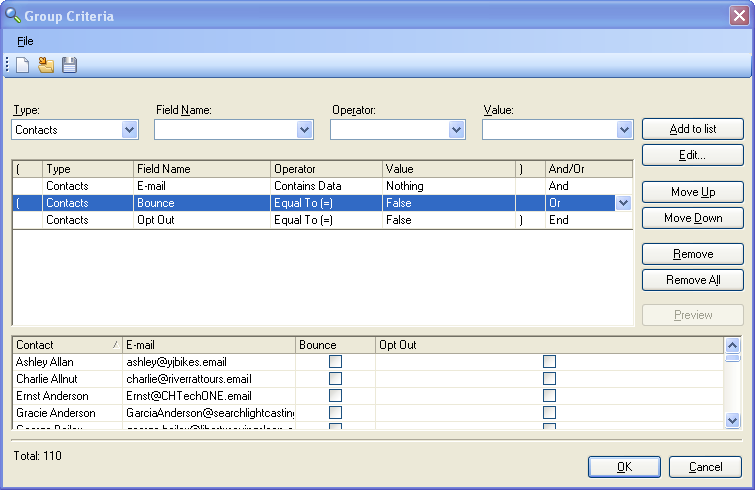
Then, I make my “E-Mail List” group in Act! exclude bounces or opt-outs.
Why ?
You can call to ask why or find out if their has been an employee change at the company. It offers an excuse to have a valid conversation with a client or prospect that you e-mailed once before.
Sage E-Marketing for Act! also delivers a list of opt-outs to your inbox. You will see a list with emails listed as one address for line.
mark@demo.email
mm@demo.email
Use this free tool for Act! 2010+ to lookup these contacts and update your mailing list accordingly.
E-Mail Marketing isn’t the panacea, but one of many different options to reach your clients and prospects.